Understanding Screen Resolutions: What Do All Those Numbers Mean?
When it comes to screen resolutions, the numbers can seem overwhelming. Typically, screen resolution is represented by two numbers, such as 1920 x 1080. The first number indicates the width in pixels, while the second number represents the height. This means that a screen with a resolution of 1920 x 1080 has 1920 pixels across and 1080 pixels vertically. Higher numbers generally mean more pixels, which translates to a clearer and sharper image. However, it’s important to note that the quality of the display also depends on other factors such as pixel density, which is measured in pixels per inch (PPI).
Understanding the various screen resolutions is crucial, especially if you're considering buying a new monitor or designing graphics. Here are some common screen resolutions you might encounter:
- 720p (1280 x 720) - This is considered HD quality.
- 1080p (1920 x 1080) - Commonly referred to as Full HD.
- 1440p (2560 x 1440) - Known as Quad HD (QHD), offering a sharper image.
- 4K (3840 x 2160) - Also known as Ultra HD (UHD), providing four times the resolution of 1080p.
Keeping your monitor clean is essential for maintaining image clarity and a healthy workspace. If you're looking for the best options available, check out the Top 10 Monitor Cleaning Kits that will help you keep your screens spotless and free from dust and fingerprints.
The Evolution of Monitor Sizes: From CRT to Ultra-Wide
The journey of monitor sizes has been a fascinating aspect of technological evolution, showcasing how our needs for screen real estate have drastically changed over the years. CRT monitors (Cathode Ray Tube) dominated the landscape in the late 20th century, often featuring bulky designs and limited display resolutions. These monitors typically ranged from 15 to 21 inches diagonally, and although they produced vibrant colors and deep blacks, they required significant desk space and consumed large amounts of power. As technology progressed, the introduction of LCD (Liquid Crystal Display) and later LED (Light Emitting Diode) screens revolutionized the market by offering slimmer and lighter designs, making larger monitor sizes more feasible for everyday users.
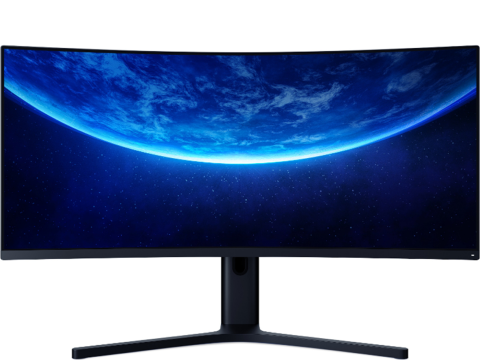
As we moved into the 21st century, the demand for larger and more immersive displays gave rise to an array of monitor sizes and styles, including Ultra-Wide monitors. These monitors, often exceeding 30 inches diagonally, are designed to provide an expansive view ideal for multitasking and gaming. Many ultra-wide displays feature immersive aspect ratios like 21:9, which enhance the user experience in both productivity and entertainment scenarios. The shift from CRT to ultra-wide monitors not only reflects changes in aesthetic preferences but also emphasizes the increasing need for enhanced visual performance and efficiency in our digital lives.
Choosing the Right Screen Size for Your Needs: A Comprehensive Guide
When it comes to choosing the right screen size for your needs, it’s essential to consider a few key factors that will enhance your overall experience. First, you should assess the primary use of the screen—whether it's for gaming, office work, or media consumption. For gaming, a larger screen, typically between 27 to 32 inches, provides a more immersive experience. Conversely, for office work where productivity is crucial, a 24 to 27-inch monitor may strike a perfect balance between usability and workspace efficiency.
Another important factor to consider is your viewing distance. As a general rule of thumb, the larger the screen size, the greater the distance you should maintain between yourself and the screen. If you find yourself sitting less than 2 feet away, a 24-inch screen may be more suitable to avoid eye strain. Additionally, if you often multitask, you might want to consider a dual-monitor setup, which allows for better organization and accessibility of multiple programs.